Caterpillar Part reference

1157445harness as-panel

Harness as-panel, catalog part number 1157445, is listed under Caterpillar's electrical and starting system. It appears in catalog occurrences associated with Caterpillar 784B wiring group-cab assemblies, which are recorded with their own serial and configuration conditions that should be checked against your machine.

Recorded applications

Models and catalog references

Selected catalog references that list this part. A catalog association does not confirm fitment for every machine or configuration.

& More catalog references

Catalog context

Where this part appears

  1. ModelCaterpillar 784B
  2. Groupelectrical and starting system
  3. Subgroupwiring group-cab
  4. Unit115-6473 wiring gp-cab -vims s/n 5rk16-21 part of 115-9171 cab ar type 1 an attachment
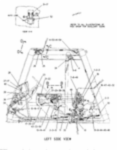
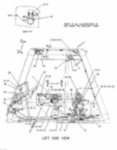
Reduced catalog diagram for Caterpillar 784B Locked
Diagram previewReduced catalog thumbnail
About diagram access

Check the signed-in Part Book for available diagrams and the complete catalog breakdown.

Parts in this preview

Selected records
Selected catalog parts, with other part numbers masked
Part numberDescription
10***11sensor group-pressure
10***58film-instruction; (console)
10***58flasher as; (24-volt)
1157445harness as-panel (current part)

Selected entries from this catalog unit. Other part numbers are masked. Confirm the full breakdown and your machine configuration before ordering.

View model page

General guidance

Component knowledge

Understanding this component

In general, a wiring harness is a grouped set of electrical wires and connectors arranged to route power and signals between components in a machine. A panel harness typically refers to the portion that connects to a control or instrument panel, but the exact construction and contents of this specific part are not stated in the catalog data.
What to check before ordering

Please confirm part number 1157445 against your machine's catalog and parts documentation before ordering. The catalog associations listed here carry recorded serial and configuration conditions, so verify those conditions match your unit.