Caterpillar Part reference

0812649switch; (directional turn signal)

Catalog part 0812649 is listed as a switch described as a directional turn signal switch. It appears in the Caterpillar catalog within the operator station group, mirror group-rear view subgroup, in an occurrence associated with the Caterpillar PS-500 catalog model. Confirm the recorded conditions before ordering, as catalog associations do not establish compatibility for every machine configuration.

Recorded applications

Models and catalog references

Selected catalog references that list this part. A catalog association does not confirm fitment for every machine or configuration.

Catalog context

Where this part appears

  1. ModelCaterpillar PS-500
  2. Groupoperator station
  3. Subgroupmirror group-rear view
  4. Unit5e-6552 mirror gp-rear view s/n 7xd1-up part of 1g-3284 cab gp, 1g-3286 canopy gp, 1g-3276 frame gp also an attachment
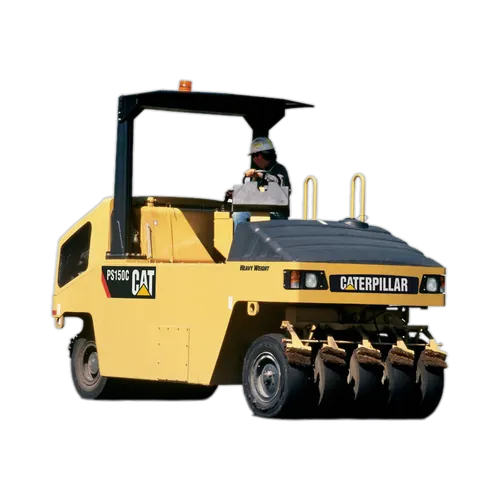
Model photo of Caterpillar PS-500Model photo
Model photoCaterpillar PS-500
About diagram access

Check the signed-in Part Book for available diagrams and the complete catalog breakdown.

Parts in this preview

Selected records
Selected catalog parts, with other part numbers masked
Part numberDescription
08***93nut
08***12light; (red control)
08***23green control lamp
0812649switch; (directional turn signal) (current part)

Selected entries from this catalog unit. Other part numbers are masked. Confirm the full breakdown and your machine configuration before ordering.

View model page

General guidance

Component knowledge

Understanding this component

In general, a directional turn signal switch is an operator control that selects left or right turn indication on a machine's lighting circuit. Heavy equipment catalogs often list such switches in operator station or lighting-related groups, and their exact connection and function must be checked against the machine's electrical documentation.

What to check before ordering

Use part number 0812649 exactly as listed when identifying this switch. Before ordering, check the catalog occurrence's recorded conditions and confirm that the switch matches your machine's configuration and electrical requirements.